
Crimson Moon Controls and actions
The verbs you bind before Forsaken Streets binds you.
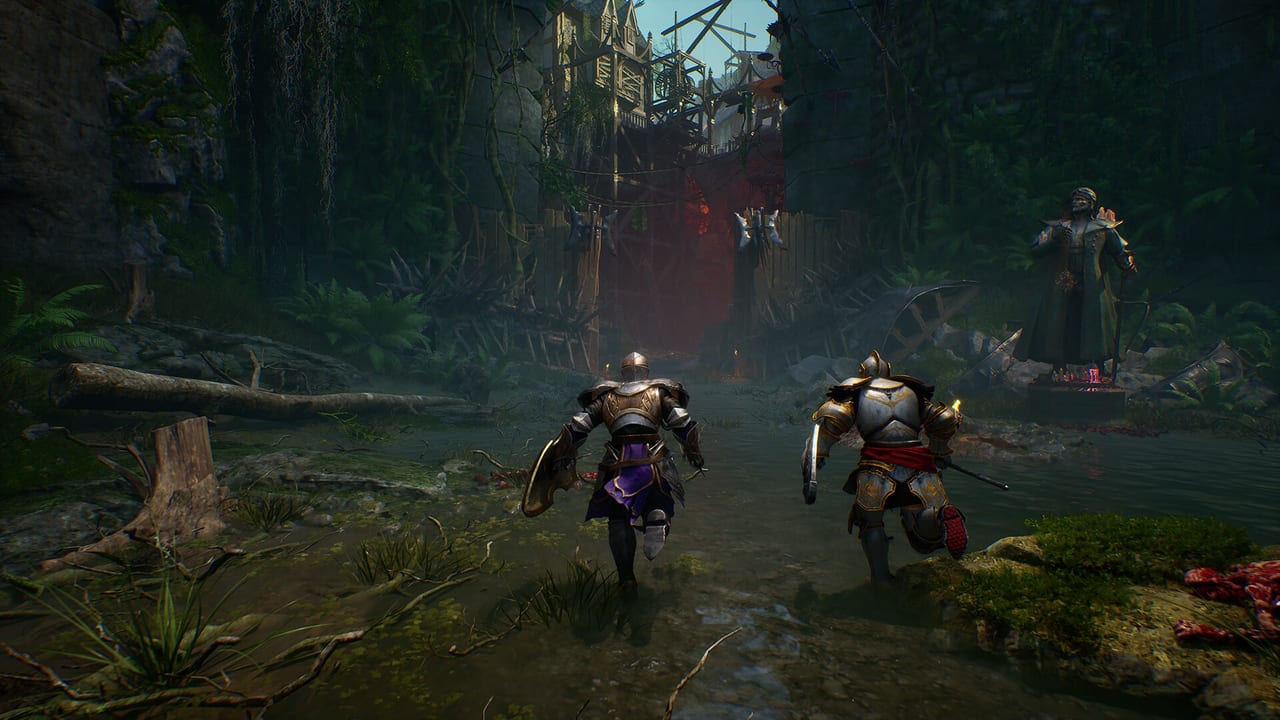
Crimson Moon is a third-person melee RPG with full controller support on Steam, including DualSense. This page lists the actions you must be able to reach without opening a menu. It does not invent an official PlayStation glyph map. The launched client’s remap screen is the source of truth. Use this as a packing list the night before September 1, then confirm binds in-game. Combat theory lives on the combat guide.
Actions you will use every hunt
- Move / camera — standard third-person. If the camera fights you in Shoreditch Prison corridors, raise sensitivity before you blame the two-hander.
- Lock-on — you will need it for elites and you will want it off when Hellgrowth fills the street.
- Light attack — stitches damage, feeds Angel gauge, sets up executions.
- Heavy attack — poise, execution setups, stamina tax.
- Dodge / roll — grabs and slams that are not meant to be parried.
- Block / parry — shield kits live here. There is an achievement for a perfect parry. Put parry on a button you can hit under panic.
- Weapon Art — the projectile or radius skill bound to the tool. If this is buried on a hold-plus-face-button combo you always miss, remap it. Arts are half your build.
- Angel Mode — transformation spend. Do not share this bind with the item you spam by accident.
- Consumable / throwable — two pre-hunt slots from Lottie. If the bind is awkward you will die with potions.
- Interact / execute — chests, gates, finishers. Missing execute after a stagger is a crime against the trailer.
- Menu / loadout — hub only, in practice. Do not open it in an elite room.
Sprint, kick, or extra stance toggles may exist. If they do, they will show on the launched screen. We will not guess them into a fake table.
Controller first
Steam lists full controller support, gamepad recommended, DualShock and DualSense support. Soulslike stamina melee is almost always happier on a pad. DualSense haptics are listed; treat that as a plus, not as a reason to buy a second pad the night before launch.
An August 27 early-look session on DualSense showed a Weapon Art chord rather than a single face button: hold Triangle, then L2 for a short-range charge or R2 for a throw-and-recall on that kit. Downed elites took an R1 finisher. Treat those glyphs as preview-confirmed for that build, not as the full official chart. The launched remap screen still wins. If your art is buried in a hold-plus-trigger chord you always miss, remap it before Forsaken Streets.
Bind rules that survive any glyph layout:
- Dodge and parry must be instant. If either is a hold, you will eat a vampire grab.
- Weapon Art must be a single press you can do while moving.
- Angel Mode must be hard to hit by accident and easy to hit on purpose.
- Item use should not share the art button.
If you play co-op on voice, you need those four binds in muscle memory or your revive speeches will be longer than your lives.
Keyboard and mouse
A keyboard will run menus and the War Table without pain. It is a worse default for camera-plus-parry unless you already live on M+KB Soulslikes. If you insist:
- Put dodge on space or a thumb mouse button.
- Put parry on a mouse side button, not on a number row.
- Put the art on a mouse button you are not using for heavy.
- Keep Angel off the key you use for interact.
Rebind before the prologue. The prologue still counts if you die, but it is a bad time to discover that Q is both “use flask” and “transform.”
Accessibility and comfort
Steam’s store page does not publish a full accessibility matrix here. Look for invert camera, vibration off, and subtitle size in the launched menus. The game has full audio in English and subtitles in the other Steam languages. If you need hold-to-toggle sprint or a larger reticle, assume nothing until you see the option. This is not a live-service title that ships twelve accessibility sliders on day one by default — it might, it might not.
Practice in the prologue, not in a world boss
The first hour on getting started is the tutorial for these binds. Land one light string, one heavy, one dodge, one parry, one art, one Angel. If any of those required a menu, remap and do it again. Gildenarch does not care that your layout matched another game.
When the official glyph chart is public, this page will show it. Until then, bind the verbs.
Frequently Asked Questions
Quick answers before you enter Gildenarch.
What is the official button layout?
ProbablyMonsters has not posted a full public glyph chart. Use this action list, then confirm binds in the launched options menu.
Does it support DualSense?
Steam lists DualSense (and DualShock) controller support plus full controller support in general.
Can I remap keys?
Expect a remap screen on a modern PC/console action RPG, and verify it in-game. Do not wait until an elite room to find out.
Should I play on keyboard?
You can. Most hunters will have an easier time parrying and camera-strafing on a pad. See the bind rules above.